
Watermark
We support adding params on image to append watermark on it. Supported params are:
text: Text to be added on image, need to be encoded in base64 (url-safe).font: Font name, currently we support 11 fonts, see below for details, need to be encoded in base64 (url-safe).color: Text color, in hex format, could be 6 chars (without transparency) or 8 chars (with transparent)width: Relative text width, in percentage from 0 to 1height: Relative text height, in percentage from 0 to 1offset_x: Relative text x position, in percentage from 0 to 1offset_y: Relative text y position, in percentage from 0 to 1
We use __ to divide key and value, for example you want to temporarily add text Hello World on image, you can use text__SGVsbG8gV29ybGQ= as param.
Example
We wish to add 我的世界是什么 to https://559a238.webp.ee/images/create-proxy.png, with font set to XiaolaiSC(小赖字体) (Base64: WGlhb2xhaVND) then it can be called with below:

https://559a238.webp.ee/images/create-proxy.png?visual_effect=watermark,text__5oiR55qE5LiW55WM5piv5LuA5LmI,width__0.1,height__0.1,offset_x__0.23,offset_y__0.34,color__001489,font__WGlhb2xhaVND
Supported Fonts
| Font Name | Parameter name | Base64 |
|---|---|---|
| Sans | sans 12 | c2FucyAxMg |
| Roboto | Roboto | Um9ib3Rv |
| Noto Sans | Noto Sans | Tm90byBTYW5z |
| Source Han Sans(思源黑体) | Source Han Sans HC VF | U291cmNlIEhhbiBTYW5zIEhDIFZG |
| wqy-zenhei(文泉驿正黑体) | WenQuanYi Zen Hei | V2VuUXVhbllpIFplbiBIZWk |
| FZFangSong-Z02(方正仿宋) | FZFangSong-Z02 | RlpGYW5nU29uZy1aMDI |
| FZHei-B01(方正黑体) | FZHei-B01 | RlpIZWktQjAx |
| FZKai-Z03(方正楷体) | FZKai-Z03 | RlpLYWktWjAz |
| FZShuSong-Z01(方正书宋) | FZShuSong-Z01 | RlpTaHVTb25nLVowMQ |
| Architects Daughter | Architects Daughter | QXJjaGl0ZWN0cyBEYXVnaHRlcg |
| Gloria Hallelujah | Gloria Hallelujah | R2xvcmlhIEhhbGxlbHVqYWg |
| XiaolaiSC(小赖字体) | XiaolaiSC | WGlhb2xhaVND |
| LXGW WenKai(霞鹜文楷) | LXGW WenKai | TFhHVyBXZW5LYWk |
Font preview:
Params:
text:We have 一只 憂鬱的臺灣烏龜。こんにちわ,ガッキー! 조선말 Tiếngwidth:1height:0.037offset_x:0.02offset_y:0.05
| Font Name | Parameter name | Preview |
|---|---|---|
| Sans | sans 12 | 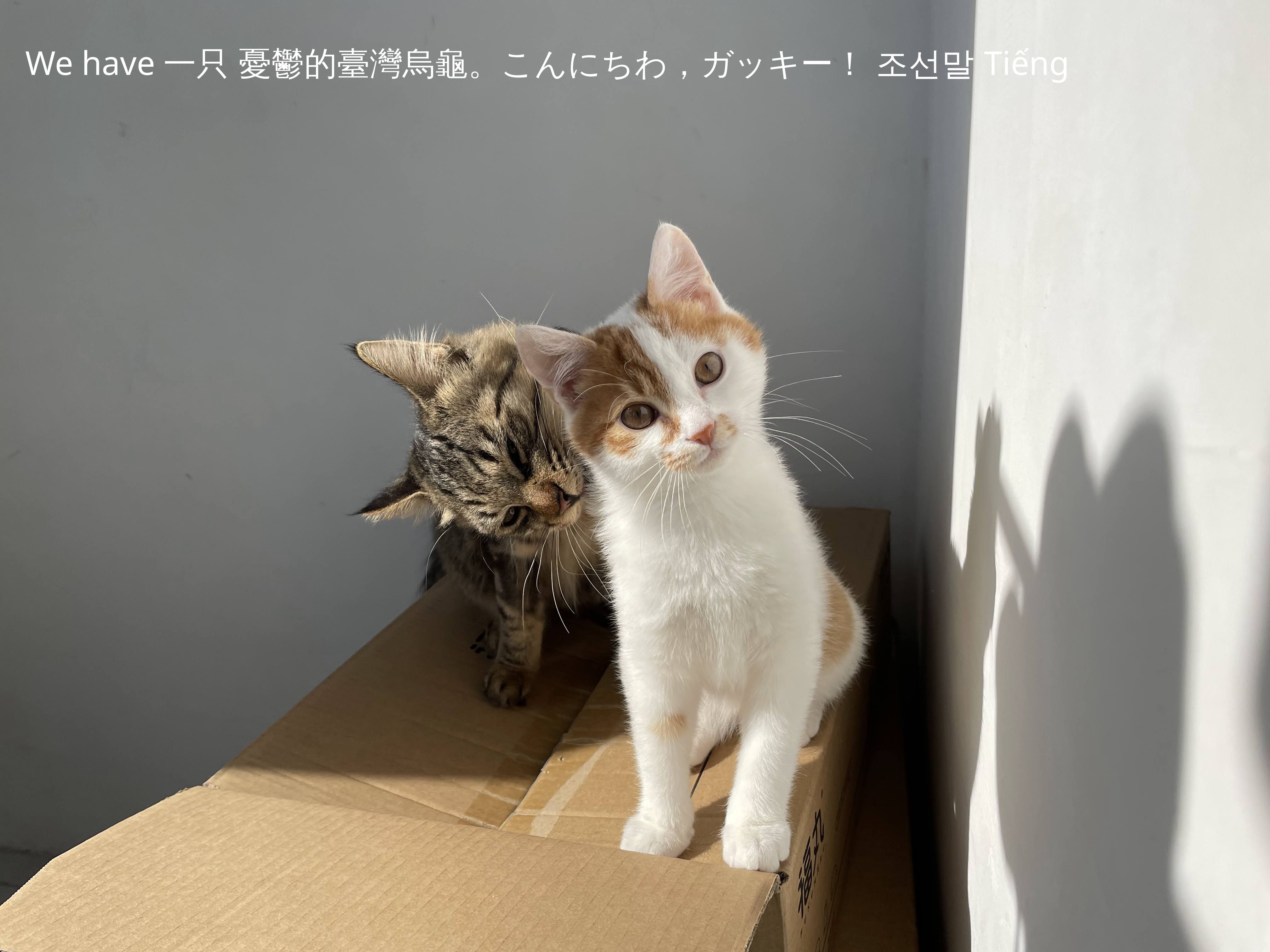 |
| Roboto | Roboto | 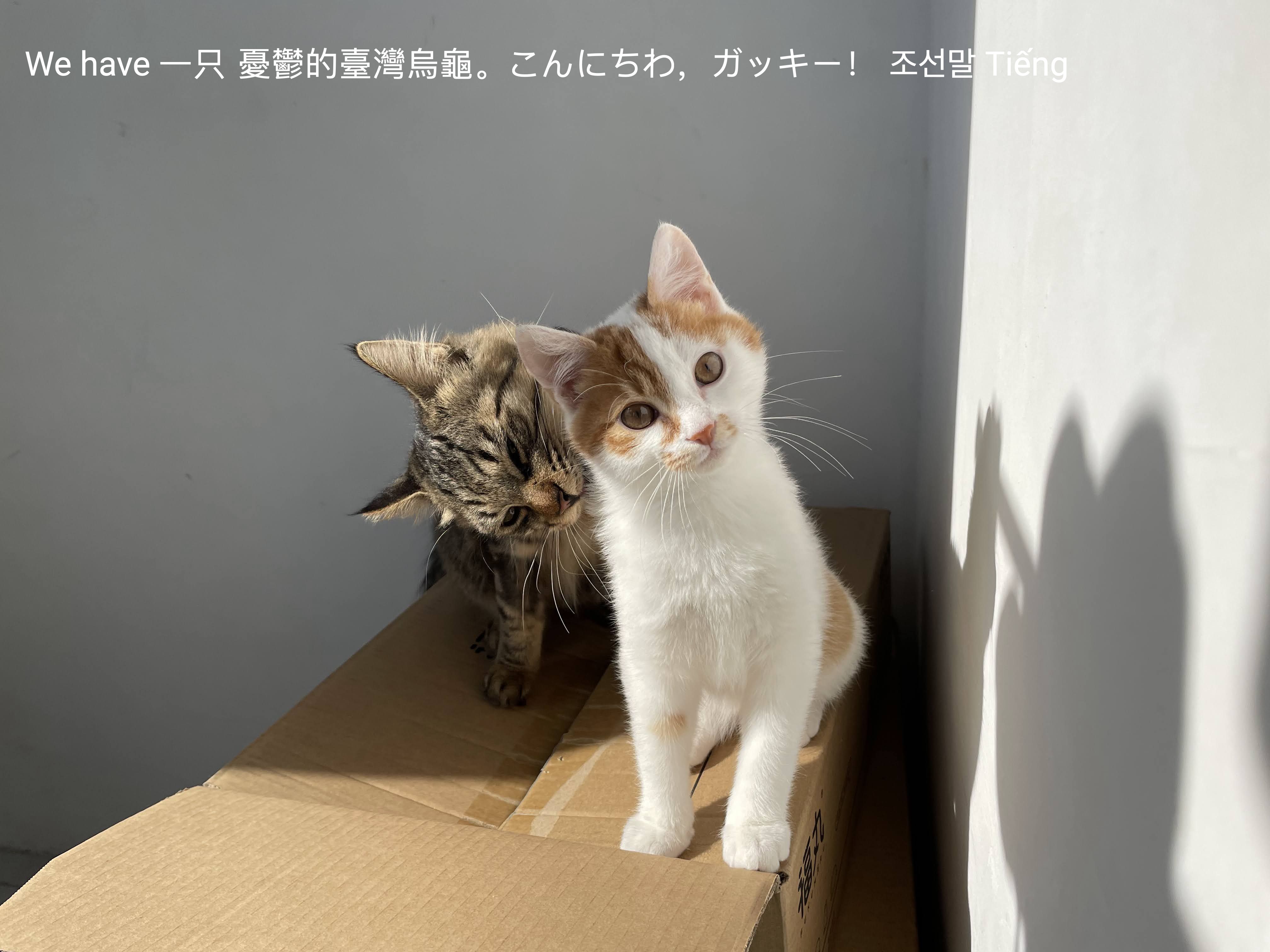 |
| Noto Sans | Noto Sans | 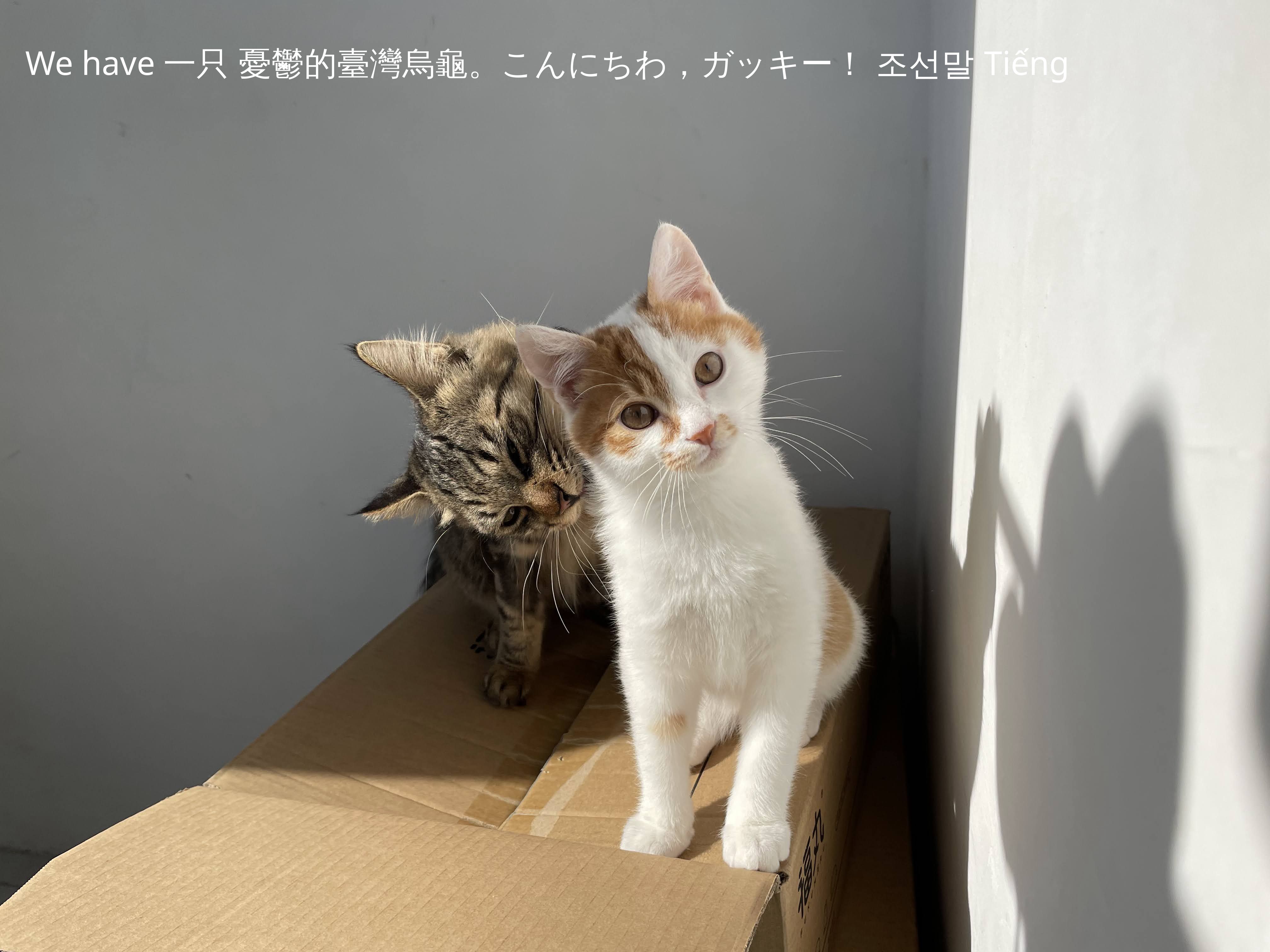 |
| Source Han Sans(思源黑体) | Source Han Sans HC VF |  |
| wqy-zenhei(文泉驿正黑体) | WenQuanYi Zen Hei |  |
| FZFangSong-Z02(方正仿宋) | FZFangSong-Z02 |  |
| FZHei-B01(方正黑体) | FZHei-B01 | 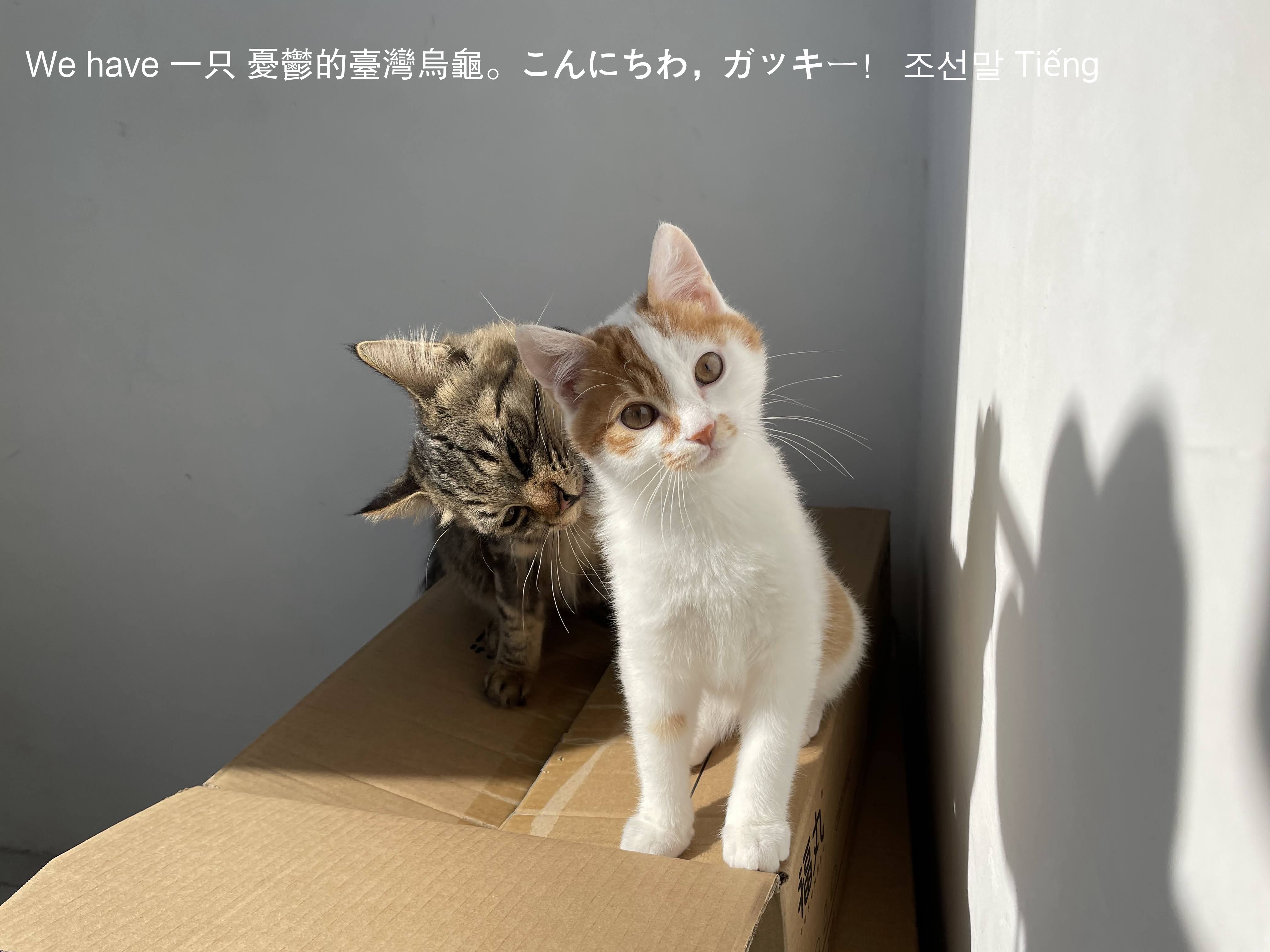 |
| FZKai-Z03(方正楷体) | FZKai-Z03 |  |
| FZShuSong-Z01(方正书宋) | FZShuSong-Z01 |  |
| Architects Daughter | Architects Daughter |  |
| Gloria Hallelujah | Gloria Hallelujah |  |
| XiaolaiSC(小赖字体) | XiaolaiSC |  |
| LXGW WenKai(霞鹜文楷) | LXGW WenKai |  |
If you'd like to enable watermark on all proxy images, you can create and add it on Dashboard.
Filter
We support filters on image, currently we support the following filters:
1977, aden, brannan, Brooklyn, clarendon, earlybird, gingham, hudson, inkwell, kelvin, lark, lofi, maven, mayfair, moon, nashville, perpetua, reyes, rise, slumber, stinson, toaster, valencia, walden, willow, xpro2
Colors are from: https://github.com/una/CSSgram
Example
We use __ to divide key and value, for example we wish to add Brooklyn filter to https://559a238.webp.ee/images/create-proxy.png, then it can be called with below:
https://559a238.webp.ee/images/create-proxy.png?visual_effect=filter,name__Brooklyn
| Filter Name | Preview |
|---|---|
| -(Original Image) |  |
| 1977 |  |
| aden |  |
| brannan |  |
| Brooklyn |  |
| clarendon |  |
| earlybird |  |
| gingham |  |
| hudson |  |
| inkwell |  |
| kelvin |  |
| lark |  |
| lofi |  |
| maven |  |
| mayfair |  |
| moon |  |
| nashville |  |
| perpetua |  |
| reyes |  |
| rise |  |
| slumber |  |
| stinson |  |
| toaster |  |
| valencia |  |
| walden |  |
| willow |  |
| xpro2 |  |